





Without a work overview
- A busy day can be hard to summarize.
- Completed work and open items live in separate notes.
- Quality feedback is disconnected from the review.
- The next week starts without a clear handover.
PRODUCT
Measure productivity and review work reports.
30-day free trial. No credit card required.
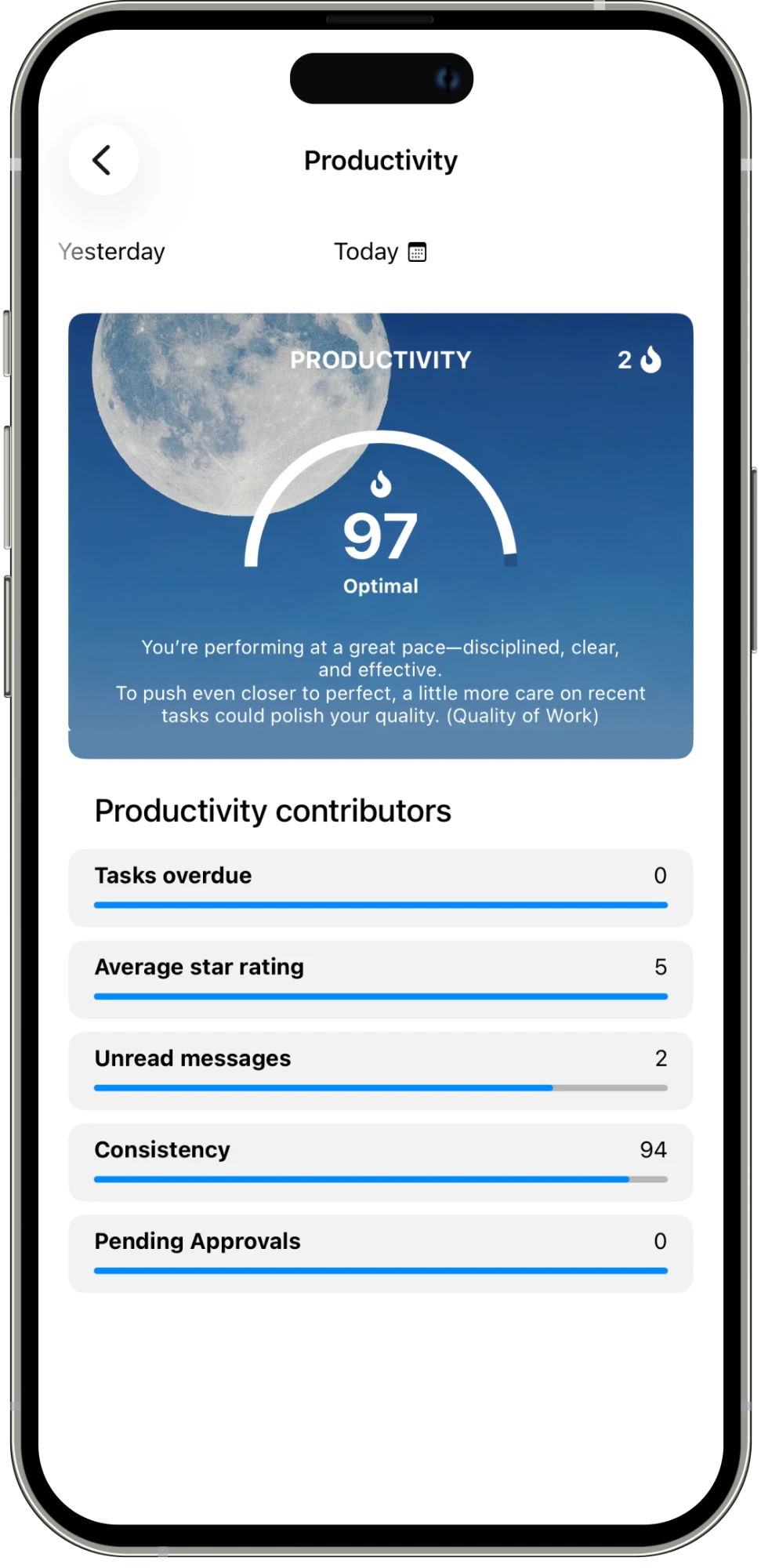
Measure productivity and review work reports to understand how the work is going. Look at contributors such as overdue tasks, ratings, unread messages, and pending approvals.
01
See a productivity score and the contributors behind it.
02
Review task ratings, overdue work, consistency, messages, and approvals.
03
Summarize completed work, open items, and team performance in a work report.
IN THE DETAILS
A productivity score is a starting point for a review. The contributors show more of the picture: overdue tasks, average star rating, unread messages, consistency, and pending approvals. Look at those details alongside the work itself to understand what needs attention. A high score can sit beside a useful next step, such as reading recent messages or taking more care with the quality of completed tasks.

CONNECTED WORK
Use a work report to write down the completed work, the open items for next week, and the team performance you want to discuss. Add the report date and supervisor so the review has a clear context. Task time can support the conversation about effort, while task ratings and approvals add context about the result. The report gives the team a shared summary to return to when planning the next week.
AN EVERYDAY EXAMPLE
A weekly store report summarizes the freezer repair, supply delivery, and restocked shelves. It also lists the inventory count and staff schedule as open items. The manager reviews those notes with task progress, ratings, and time spent before planning the next week.
Assign work, set deadlines, and schedule tasks that repeat.
Explore feature →
Message your team and keep each task’s conversation with the work.
Explore feature →
Get updates and keep everyone informed in one place.
Explore feature →
Organize your work with folders and categories.
Explore feature →
Send pictures, share media, and attach the files your team needs.
Explore feature →
Create sheets, collect answers with polls, and turn steps into checklists.
Explore feature →
Send a location so your team knows where to go.
Explore feature →
Track the time spent on work.
Explore feature →
Measure productivity and review work reports.
Explore feature →
Try Please Do It with your team, or walk through your day-to-day workflow with us.