




Without attachments
- A written description leaves important details unclear.
- Supporting documents sit in another conversation.
- The receiver asks for the same photo again.
- The result is hard to check from words alone.
PRODUCT
Send pictures, share media, and attach the files your team needs.
30-day free trial. No credit card required.
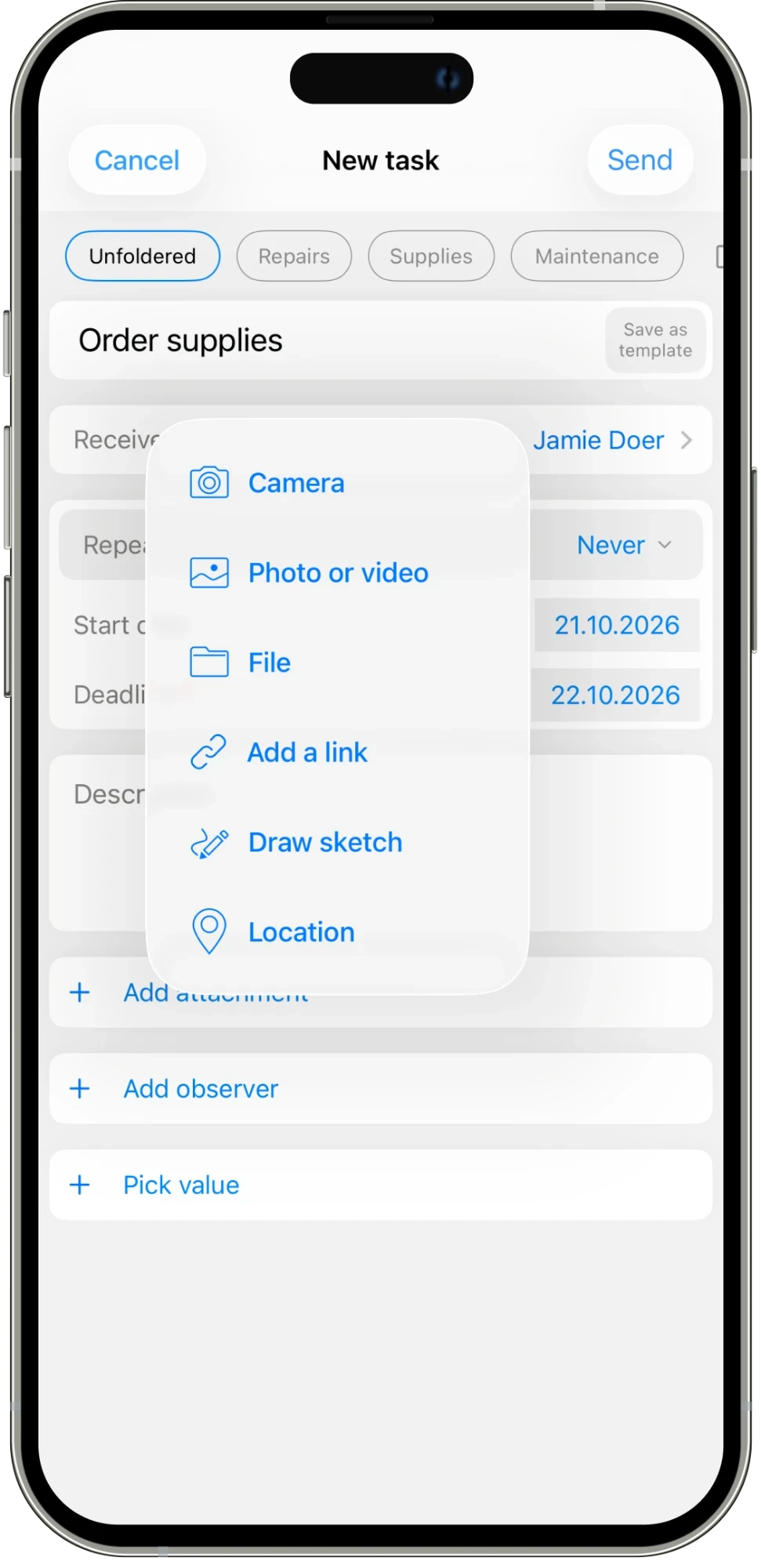
A photo, file, or link can make a request easier to understand. Add the material your team needs alongside the task and its conversation.
01
Take a photo or attach a picture or video to explain the work.
02
Attach the documents your team needs to carry out the task.
03
Share a link, draw a sketch, or add a location when words need support.
IN THE DETAILS
A picture can explain a broken door or a shelf layout more clearly than a long message. Use the attachment menu to take a photo, choose a photo or video, add a file, or share a link. A sketch can help explain a detail, while a location can show where the work belongs. Add the material to the request so the receiver starts with the context they need, rather than waiting for another call.
CONNECTED WORK
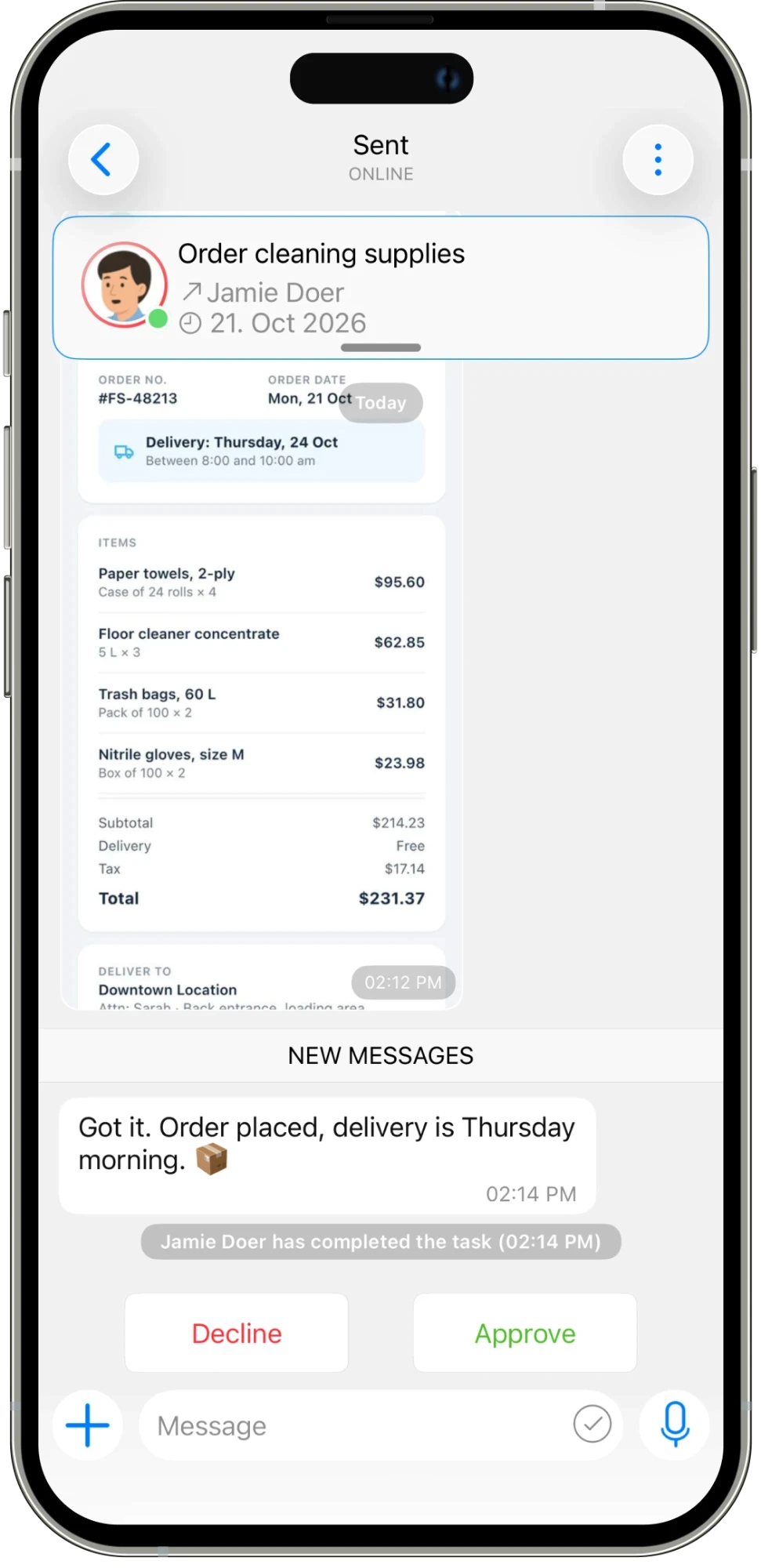
Attachments are useful throughout the task, not only at the beginning. Share the order confirmation after supplies are purchased, add a photo of the finished shelves, or leave the file the next person needs. The task conversation keeps that material beside the updates and the original request. When the work is ready to review, the person approving it can look at the evidence in the same place as the discussion.
AN EVERYDAY EXAMPLE
A manager attaches a photo of the freezer hinge to a repair task. Jamie can see the problem before starting and later posts an update about the replacement. For a supply order, the same conversation can hold the confirmation file and delivery details.
Assign work, set deadlines, and schedule tasks that repeat.
Explore feature →
Message your team and keep each task’s conversation with the work.
Explore feature →
Get updates and keep everyone informed in one place.
Explore feature →
Organize your work with folders and categories.
Explore feature →
Send pictures, share media, and attach the files your team needs.
Explore feature →
Create sheets, collect answers with polls, and turn steps into checklists.
Explore feature →
Send a location so your team knows where to go.
Explore feature →
Track the time spent on work.
Explore feature →
Measure productivity and review work reports.
Explore feature →
Try Please Do It with your team, or walk through your day-to-day workflow with us.