





Without task chat
- Task details are spread across several conversations.
- An update arrives without the original request.
- Photos and confirmations are hard to find later.
- Reviewing a result means asking for the context again.
PRODUCT
Message your team and keep each task’s conversation with the work.
30-day free trial. No credit card required.
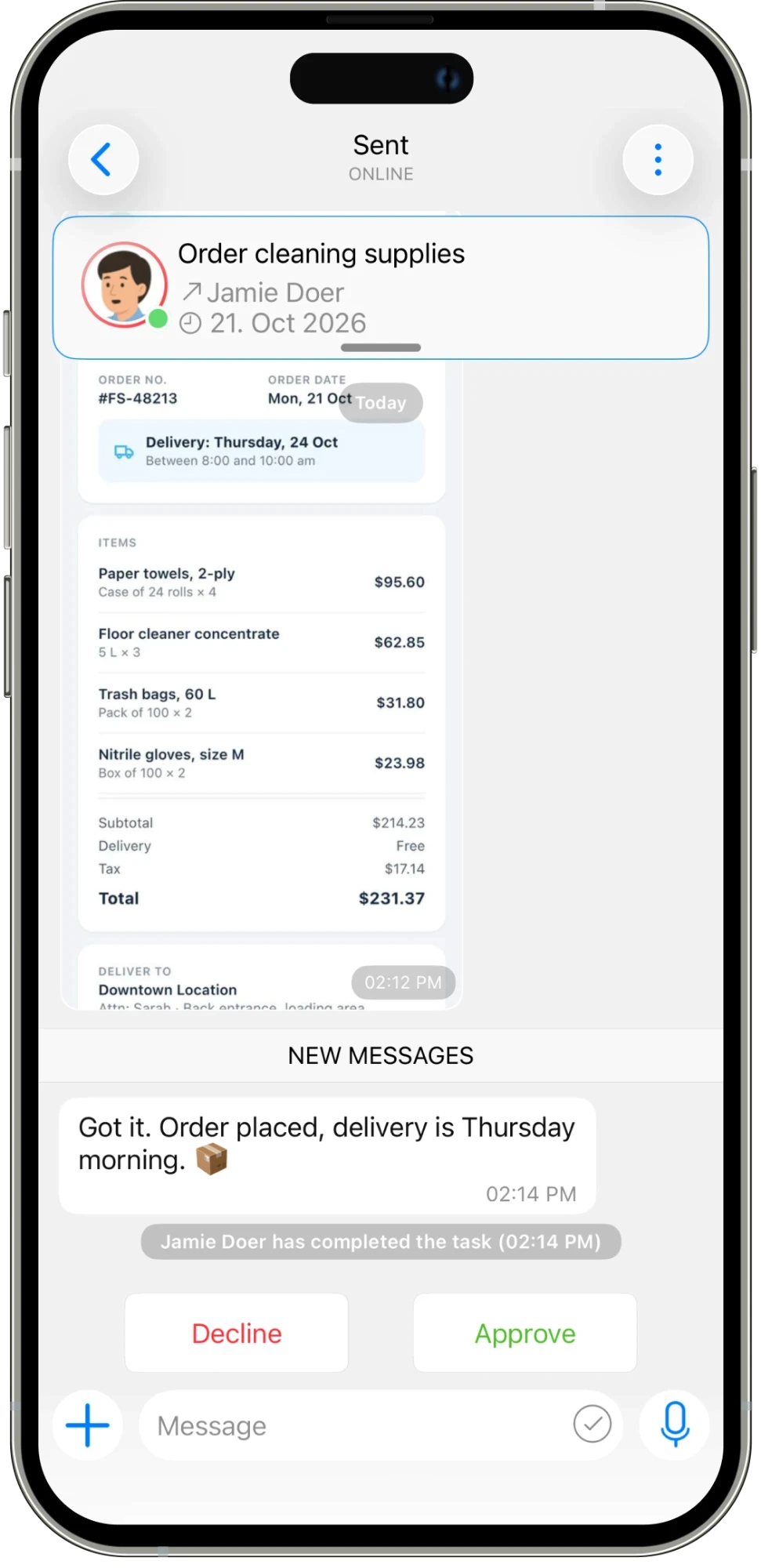
Discuss an order, share an update, and review a result in the task’s own conversation. Team chat and task chat keep people connected throughout the day.
01
Message the people you work with and keep day-to-day conversations moving.
02
Share updates and attachments in the conversation attached to the task.
03
Read the latest update and approve or decline completed work from the task.
IN THE DETAILS
A repair rarely ends with the first message. Someone finds the broken hinge, orders a replacement, and needs to tell the manager when it will arrive. Task chat keeps those updates next to the original repair request. Share a message, add the photo that explains the problem, or send the file needed for the next step. Anyone reviewing the task can follow the conversation instead of asking the team to repeat it.
CONNECTED WORK
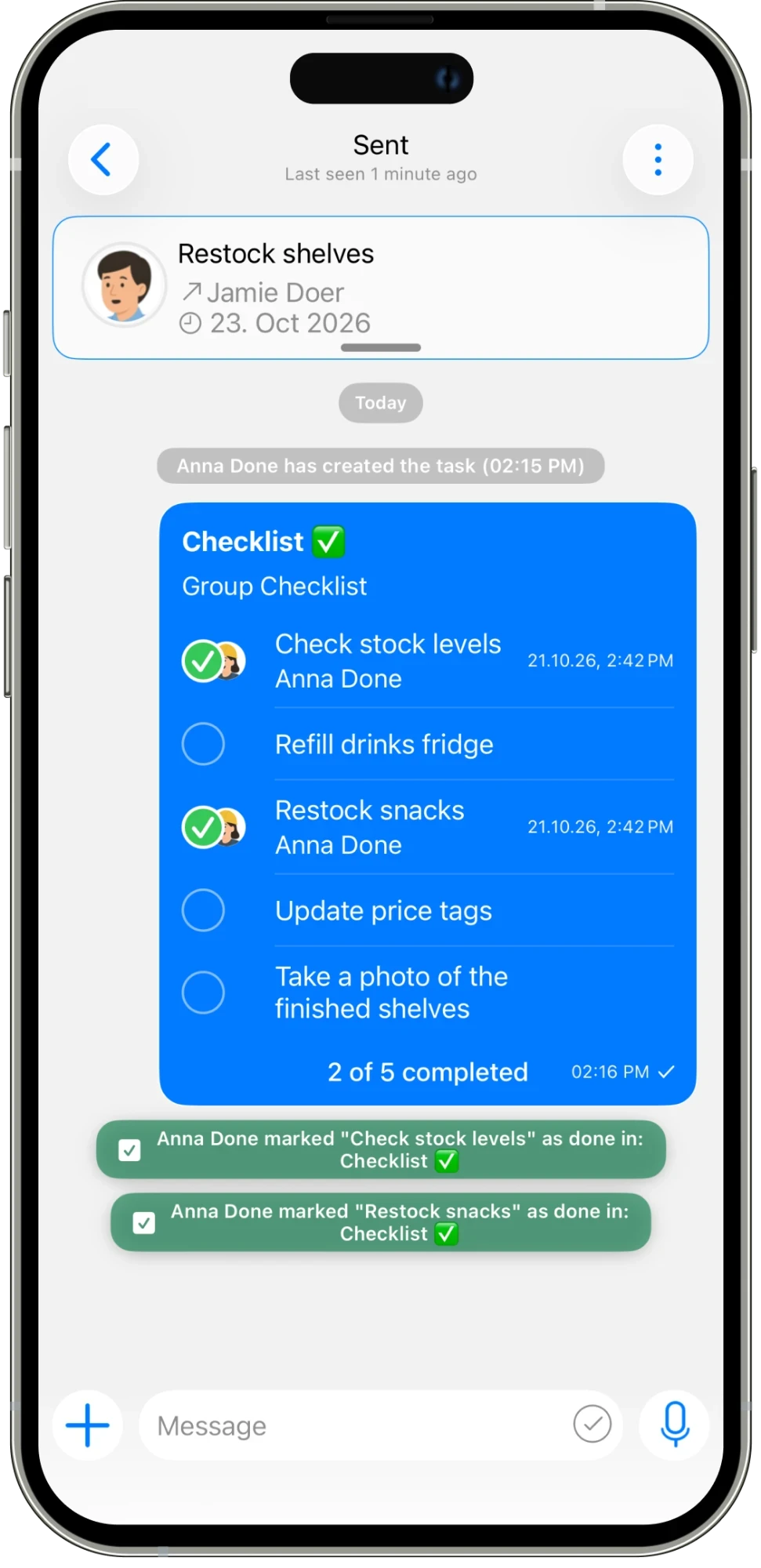
Use team chat for the conversations that keep the day moving, and task chat when the discussion belongs to a particular piece of work. A checklist, photo, or order confirmation can sit in the same task conversation as the updates. When the task is marked complete, the reviewer has the history they need to make a decision. Communication becomes part of the work’s record, from the first instruction to the final response.
AN EVERYDAY EXAMPLE
Jamie replies to the cleaning-supply task with the order confirmation and delivery day. The manager can read the update, check the attachment, and approve the result in the same task. There is no need to search a general group chat for the right conversation.
Assign work, set deadlines, and schedule tasks that repeat.
Explore feature →
Message your team and keep each task’s conversation with the work.
Explore feature →
Get updates and keep everyone informed in one place.
Explore feature →
Organize your work with folders and categories.
Explore feature →
Send pictures, share media, and attach the files your team needs.
Explore feature →
Create sheets, collect answers with polls, and turn steps into checklists.
Explore feature →
Send a location so your team knows where to go.
Explore feature →
Track the time spent on work.
Explore feature →
Measure productivity and review work reports.
Explore feature →
Try Please Do It with your team, or walk through your day-to-day workflow with us.